Flowise: review, pricing and alternatives
What is Flowise AI? A Visual Introduction
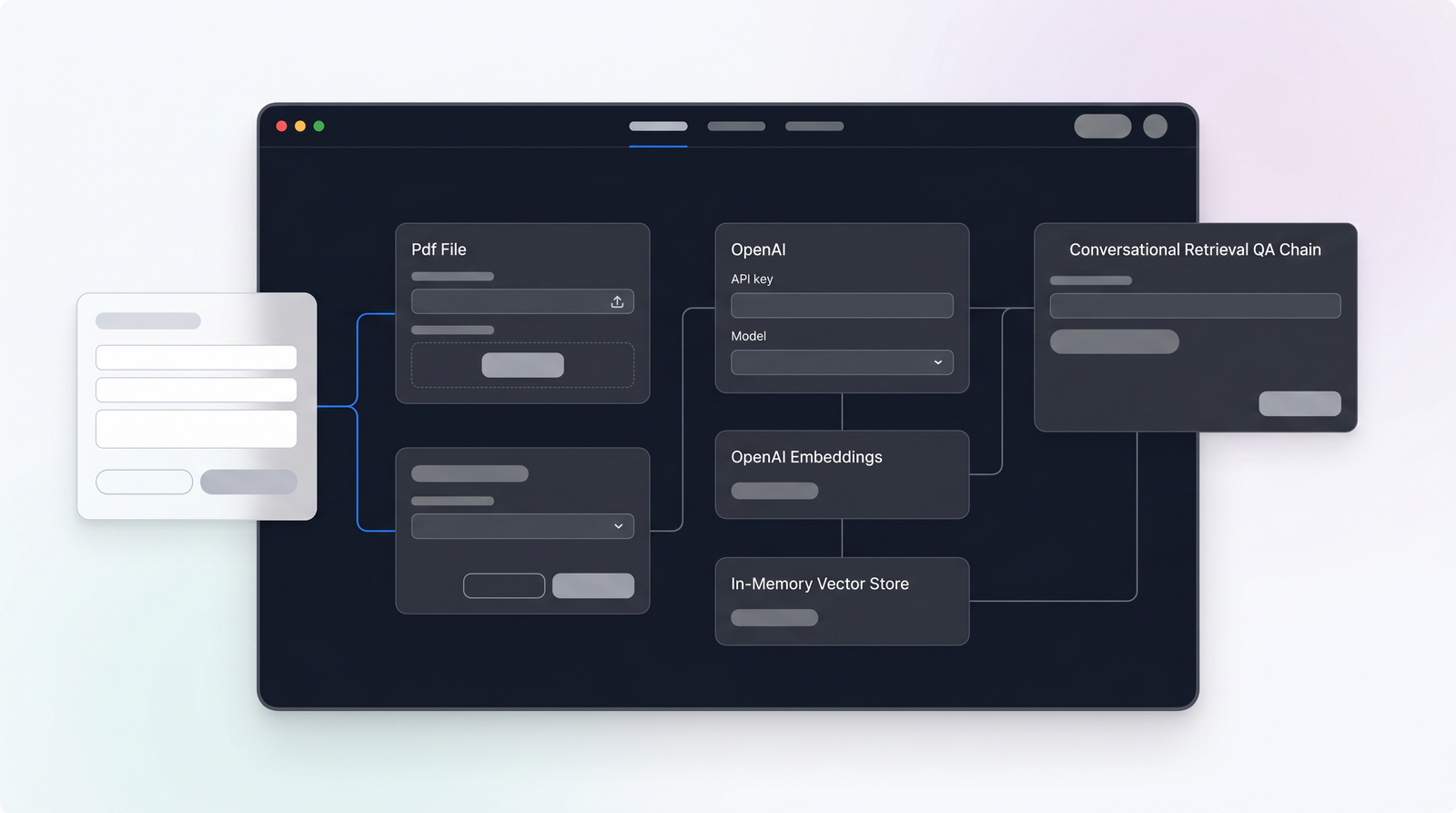
When you're diving into the fast-paced world of AI agent development, you often hear about complex frameworks and endless lines of code. That's where Flowise AI steps in, and honestly, it's a breath of fresh air. At its core, Flowise is an open-source, low-code platform designed to make building sophisticated AI agents and applications remarkably accessible. Imagine taking the powerful, yet sometimes daunting, capabilities of LangChain and translating them into a visual, drag-and-drop interface – that's precisely what Flowise achieves. It simplifies the orchestration of prompts, memory modules, APIs, retrievers, and vector databases, allowing you to visually construct intricate AI workflows.
My first impression of Flowise was how quickly I could grasp the fundamentals. Instead of wrestling with code, I was connecting modular blocks on a canvas, watching my AI agent take shape right before my eyes. It's truly an environment built for rapid prototyping and clear understanding of your AI's logic. This visual abstraction means you can focus more on the agent's behavior and less on the underlying boilerplate.
Flowise was co-founded by Henry Heng and Chung Yau Ong, launching in 2023 and quickly gaining traction, even participating in the Summer 2023 Y Combinator batch. Its rapid rise caught the eye of the enterprise world, leading to a significant development: Workday, the enterprise software giant, acquired Flowise on August 14th. This move signals Workday's intent to integrate smarter automation into its HR and finance products, pushing Flowise into the mainstream. For us, the users, this means Flowise now has serious enterprise backing, which could translate into greater stability and resources, but it also raises questions about its future direction for indie developers – a topic we'll touch on later.
Core Features: Building Blocks for AI Agents
What makes Flowise so compelling are the foundational features it offers, effectively serving as a toolkit for constructing virtually any AI agent you can imagine. The standout, as you'd expect from a low-code platform, is its intuitive visual drag-and-drop user interface. This isn't just a gimmick; it genuinely transforms the development process, allowing you to connect various components like LLMs, memory modules, and data sources in a clear, diagrammatic way. It’s like drawing a flowchart that actually executes your AI's logic.
Beyond the interface, Flowise provides robust capabilities for both single and multi-agent systems. For instance, you can effortlessly build sophisticated single-agent chatbots that support tool calling (allowing your AI to interact with external services), memory (so conversations feel coherent), and knowledge retrieval (RAG) from diverse data sources. This means your chatbot isn't just generating text; it's capable of understanding context, remembering past interactions, and pulling relevant information from your documents or websites to provide intelligent, informed responses.
Where Flowise truly shines for more advanced applications is its support for multi-agent orchestration. This allows you to design and coordinate complex systems where multiple AI agents work together, distributing tasks and collaborating to achieve a larger goal. Think of it as a team of specialized AI workers, each with a specific role, all managed and monitored within Flowise. And for those critical applications, the Human-in-the-Loop (HITL) feature is invaluable, letting humans review and validate tasks performed by agents, ensuring accuracy and ethical oversight before actions are taken. On top of all this, Flowise boasts extensive integration, supporting over 100 Large Language Models (LLMs), various embedding models, and popular vector databases, giving you immense flexibility in choosing the right AI models and data storage for your project.
How Flowise Works: From Concept to Deployment
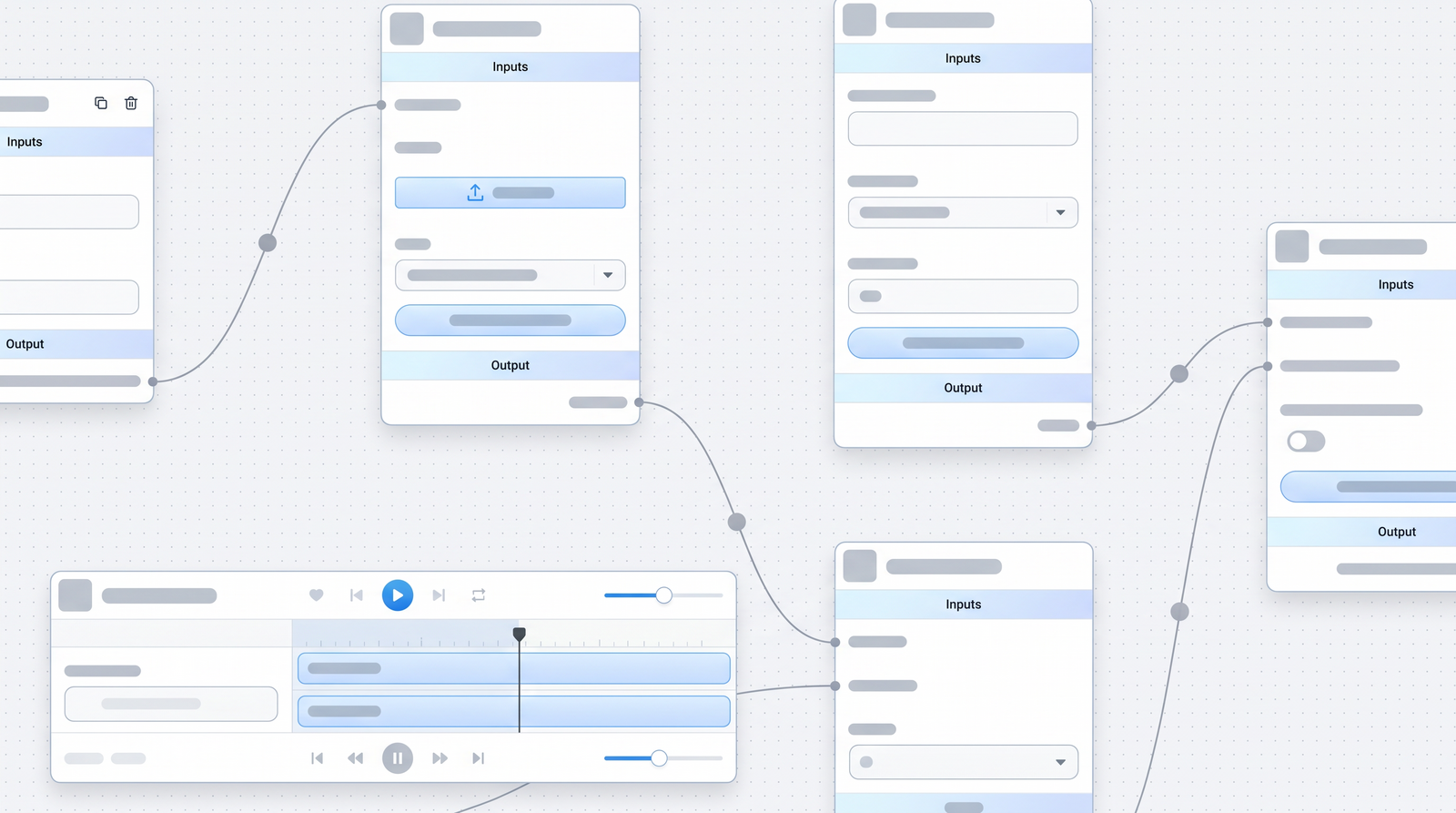
When you start a project in Flowise, the workflow feels incredibly natural, especially if you're someone who thinks visually. You begin by dragging modular blocks onto a canvas. Each block represents a specific function: an LLM, a memory component, a retriever for RAG, a tool, or even an output node. The magic happens as you visually connect these blocks, forming a logical flow. If you want your chatbot to search a document before answering, you simply drag a 'Vector Store Retriever' block, connect it to your 'LLM Chain' block, and configure them. This modular approach allows for incredibly rapid prototyping. I've found myself building and testing complex workflows in minutes, something that would take hours with traditional coding.
Once you've designed your AI agent, Flowise makes it straightforward to integrate it into your existing applications. It offers a comprehensive set of integration capabilities, including APIs for programmatic access, SDKs (available for Python and TypeScript) for deeper integration into your codebase, and embeddable chat widgets. This means you can build your agent in Flowise and then easily drop it into a website, a mobile app, or another backend service. The flexibility here is a huge plus, as it means Flowise isn't just a prototyping tool; it's a development environment for deployable AI.
For deployment, Flowise offers versatility that caters to various needs. You can deploy your agents in the cloud or keep them entirely on-premises, which is crucial for organizations with strict data sovereignty requirements. For larger, production-grade applications, Flowise supports horizontal scaling, utilizing message queues and workers to handle increased load efficiently. And for those of us who prefer to manage our own instances, self-hosting is a core part of the Flowise experience. The process is remarkably simple: a few commands like npm install -g flowise and npx flowise start get you up and running on your local machine, or you can leverage Docker for containerized deployment. This level of control, from concept to scalable deployment, is what truly sets Flowise apart for many developers.
Pricing Structure: Open Source vs. Cloud
One of the most attractive aspects of Flowise, especially for indie developers and startups, is its pricing model – or rather, its open-source nature. The core Flowise platform is fundamentally open-source, which means you can download it, self-host it on your own infrastructure, and use it entirely for free. This is a massive advantage, as it removes the barrier of entry that proprietary platforms often impose. You get full control over your data, your environment, and your costs, paying only for the underlying cloud resources (like LLM API calls or server hosting) that you choose to use.
However, the landscape is evolving. While the official Flowise website now prominently displays that Flowise has joined Workday, details about a dedicated 'Flowise Cloud' offering with specific pricing plans are less explicit on their public-facing site. Historically, there have been suggestions of a potential cloud offering, with pricing for such services typically falling in a range. Based on my research and discussions within the community, if a managed cloud service were to be offered, you might expect subscription tiers that could range anywhere from $35 to $65 per month, depending on features, usage limits, and support. This is a common model for open-source projects that also provide a hosted, managed solution for convenience.
The Workday acquisition adds another layer of complexity to this discussion. While it brings significant resources and enterprise backing, it also raises questions about the long-term pricing strategy and whether a more formalized, potentially higher-tier, cloud offering will emerge for enterprise clients. For now, the open-source self-hosted option remains the most accessible and cost-effective way to engage with Flowise. I always recommend starting with the self-hosted version to get a feel for the platform before considering any potential cloud services that might arise.
| Plan | Price | Best for |
|---|---|---|
| Self-Hosted (Open Source) | Free | Indie developers, startups, projects with custom deployment needs, budget-conscious users. |
| Flowise Cloud (Potential/Estimated) | $35 - $65/month (estimated) | Developers seeking convenience, managed infrastructure, and dedicated support without self-hosting overhead. |
Pros of Using Flowise: Speed and Flexibility
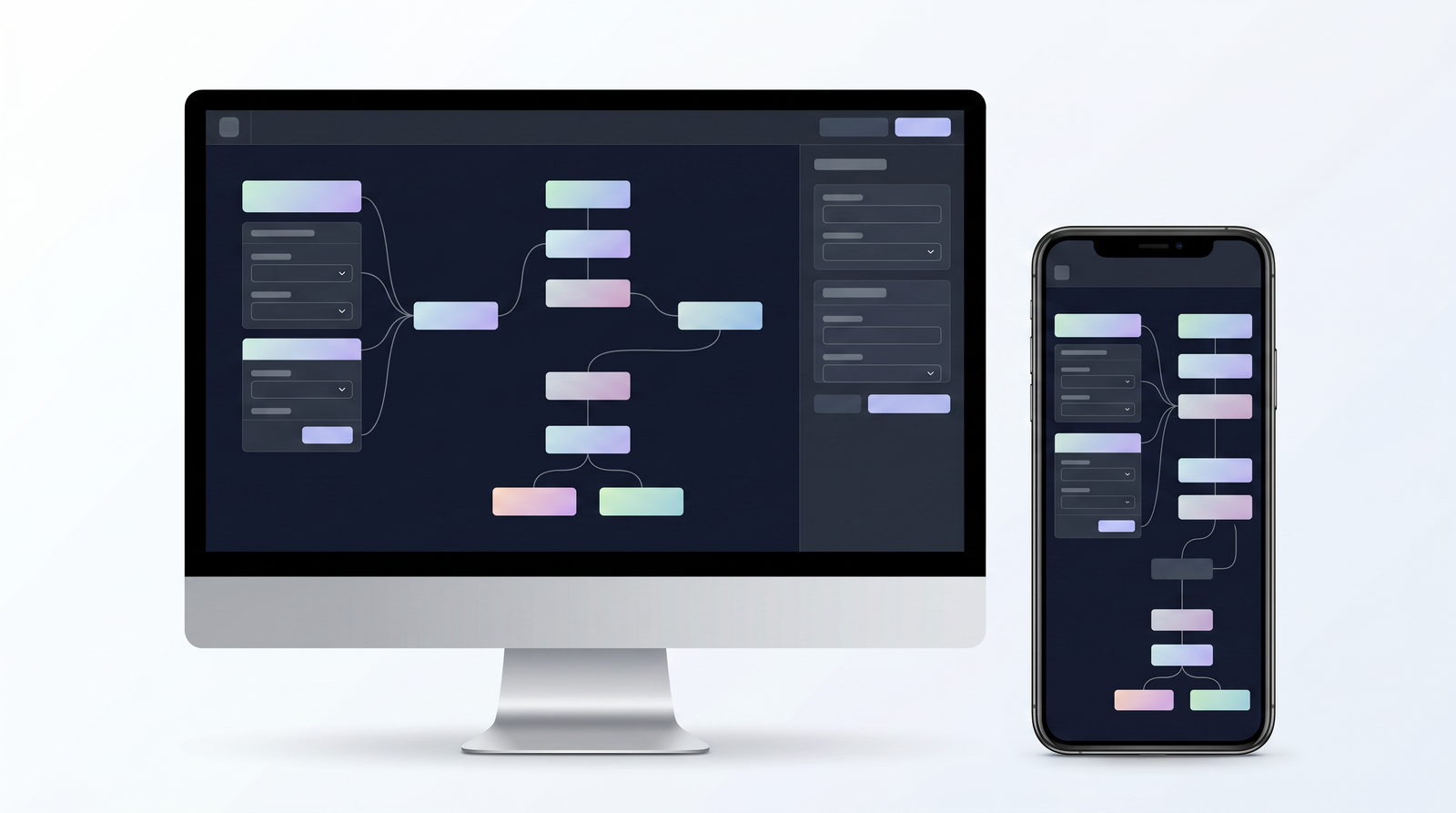
What I keep coming back to with Flowise is how it genuinely accelerates development. The visual drag-and-drop interface isn't just pretty; it's a productivity powerhouse. For anyone who's ever tried to build AI agents with pure code, especially using a framework like LangChain, you'll immediately appreciate how Flowise takes the complexity and simplifies it into modular, understandable blocks. This means faster prototyping and iteration – I can spin up an idea, test it, and refine it within minutes, rather than getting bogged down in syntax or setup. This visual clarity is a game-changer for understanding the flow of your AI agent.
The underlying nature of Flowise being open-source is another massive pro. It offers unparalleled flexibility, allowing you to peek under the hood, customize components, and integrate it deeply into your existing tech stack without vendor lock-in. This freedom is invaluable for developers who need specific behaviors or want to ensure long-term control over their applications. Plus, the community around open-source projects often provides a wealth of shared knowledge and contributions.
Finally, Flowise's extensive integration support for a vast array of AI models and data sources is incredibly powerful. Whether you prefer OpenAI, Hugging Face, or another LLM provider, Flowise likely supports it. The same goes for embeddings and vector databases. This versatility ensures that you're not limited in your choice of AI brain or where your agent can pull its knowledge from. It truly provides all the 'native AI pieces' you need, giving you the building blocks to create highly customized and intelligent systems without having to reinvent the wheel for every integration.
Cons and Limitations: What to Consider
While Flowise offers a fantastic visual approach to AI agent development, it's important to have a balanced view and acknowledge its potential drawbacks. One thing I've noticed is that while it simplifies LangChain, it's still a relatively 'low-level' no-code tool in some respects. What I mean by that is, while it provides all the core AI components you need, you often have to manually link them up in a very granular way. This can be great for fine-grained control, but if you're looking for an extremely high-level abstraction where entire complex workflows are pre-packaged into single blocks, you might find yourself doing more manual configuration than anticipated. It's less about writing code and more about meticulously connecting the right visual pieces, which can still require a deep understanding of AI concepts.
Another significant point of consideration, particularly for indie builders and smaller teams, is the recent Workday acquisition. While enterprise backing can bring stability and resources, it also introduces a degree of uncertainty about the future direction of the open-source project. Will the focus shift more towards enterprise features? Will the community engagement remain as vibrant, or will commercial interests take precedence? For those of us who rely on the agility and community-driven nature of open-source tools, this is a valid concern. It's not necessarily a bad thing, but it's something I'm keeping an eye on, as the priorities of a large corporation might not always align perfectly with the needs of individual hackers and small startups.
Finally, while Flowise offers great flexibility, its visual nature can sometimes lead to very large and complex canvases for highly intricate workflows. As your agent grows, managing and navigating a sprawling graph of interconnected nodes can become a challenge, potentially impacting readability and maintainability. It's a trade-off: visual clarity for simple flows, but potential visual clutter for extremely complex ones.
Who is Flowise For? Ideal Use Cases
Based on my experience, Flowise really shines for a specific set of users and use cases. If you're an indie builder, a developer in a startup, or even an experienced developer looking for a more efficient way to prototype and deploy AI agents, Flowise should definitely be on your radar. It's particularly well-suited for those who appreciate a low-code approach but still want significant control and flexibility over their AI's architecture. It bridges the gap between purely no-code platforms and full-stack AI development.
In terms of specific applications, Flowise is an excellent choice for building sophisticated AI agents that go beyond simple chatbots. You can design agents capable of complex decision-making, tool utilization, and multi-step processes. It's also ideal for creating advanced chatbots that require memory, context awareness, and integration with external data sources. If you're looking to implement Retrieval-Augmented Generation (RAG) systems to ground your LLMs in specific knowledge bases, Flowise makes it incredibly straightforward to connect vector stores and retrievers.
Ultimately, Flowise is for anyone who needs to build multi-step LLM workflows quickly and customize them extensively. Whether it's automating customer support, creating intelligent assistants, or designing autonomous agents that interact with various APIs, Flowise provides the visual environment to bring these ideas to life with remarkable speed and adaptability. It's about empowering developers to rapidly experiment, iterate, and deploy AI solutions without getting mired in the boilerplate code that often accompanies these projects.
Flowise Alternatives: Comparing Visual AI Builders
The ecosystem of visual AI builders is growing rapidly, and while Flowise is a strong contender, it's not the only player. When I look at alternatives, I often categorize them by their primary focus or complexity. For instance, direct competitors in the open-source, visual LangChain wrapper space include Langflow and Dify. Both offer similar drag-and-drop interfaces for building LLM applications, and they share Flowise's philosophy of simplifying complex AI workflows. The choice between these often comes down to personal preference for their UI, specific feature sets, or community support. You can see how it stacks up against alternatives on Top10k.
Then you have platforms like Voiceflow, which, while also visual, tends to lean more towards enterprise-grade conversational AI and customer experience design. Voiceflow is often favored by larger organizations looking to build, launch, and scale AI agents for every customer channel, offering more robust features for team collaboration, versioning, and integration into existing business systems. Its focus is often on the end-user experience and deployment at scale within a corporate environment, which can differ from Flowise's more developer-centric, modular approach.
Finally, there's n8n, which operates in a slightly different but overlapping domain. While n8n is a powerful workflow automation tool that can integrate with AI services and even offers RAG capabilities, its primary strength lies in broader data integration and automation across a multitude of applications, not exclusively AI agent building. It's more of a general-purpose automation platform where AI components are one type of node you can use, whereas Flowise is singularly focused on AI agent construction. Each of these tools has its niche, and the best choice really depends on your specific project's requirements, scale, and your comfort level with different levels of abstraction.
Performance and Scalability for Production
When you're moving beyond prototyping and thinking about deploying AI agents in a production environment, performance and scalability become paramount. Flowise, despite its low-code interface, is designed with these considerations in mind. It offers what I would describe as enterprise-grade infrastructure capabilities, allowing you to confidently deploy AI applications that need to handle real-world loads and demands. This isn't just a toy; it's a robust platform capable of powering critical systems.
One of the key advantages is its flexible deployment options. You're not locked into a single cloud provider; Flowise supports both cloud and on-premises environments. This is a significant factor for organizations with stringent security, compliance, or data residency requirements. Being able to host everything within your own data center or a private cloud gives you maximum control and peace of mind. For those utilizing cloud services, Flowise integrates seamlessly, allowing you to leverage the scalability and reliability of major cloud platforms.
For handling high traffic and ensuring responsiveness, Flowise incorporates mechanisms for horizontal scaling. This means you can distribute the workload across multiple instances, utilizing message queues and worker processes. As demand grows, you can simply add more workers to process tasks in parallel, preventing bottlenecks and maintaining consistent performance. Furthermore, Flowise includes features like full execution traces and support for observability tools like Prometheus and OpenTelemetry. These are critical for monitoring your agents in production, debugging issues, and ensuring everything is running smoothly. In my view, Flowise provides the necessary tools and architectural considerations to transition your AI experiments into reliable, scalable production systems.
The Verdict: Is Flowise the Right Tool for You?
After spending time with Flowise, both building simple chatbots and more complex multi-agent systems, my verdict is clear: it's an incredibly powerful and accessible tool for a specific audience. If you're an indie developer, a small startup, or a developer within a larger organization looking to rapidly prototype and deploy AI agents, chatbots, or RAG systems, Flowise offers a compelling solution. Its visual, drag-and-drop interface significantly lowers the barrier to entry for AI development, allowing you to focus on the logic and behavior of your agents rather than getting lost in the intricacies of underlying frameworks like LangChain.
Its strengths lie in its speed of iteration, the clarity provided by its visual workflow, and the flexibility of its open-source nature. You get extensive integration with a wide array of LLMs and data sources, and the ability to deploy both in the cloud and on-premises, even scaling horizontally for production. For those who want to build custom AI solutions without being a deep learning expert or writing reams of code, Flowise is a fantastic enabler. It puts powerful AI capabilities directly into the hands of developers who might not have previously considered themselves AI specialists.
However, it's not without its considerations. Its 'low-level' visual configuration means you still need a good grasp of AI concepts, and the recent Workday acquisition introduces a degree of uncertainty regarding its long-term direction for the indie community. That being said, for anyone seeking a robust, open-source, and highly customizable visual builder for AI agents, Flowise comes with my strong recommendation. It empowers you to bring your AI ideas to life faster and with more control than many other tools on the market, making it an excellent choice for rapid development and tailored AI solutions.
Full profile and live ranking: https://top10k.com/ai/flowise
Published by

Meet Top10k Tools — an all-in-one online toolkit offering thousands of free online tools designed to save time on routine tasks.
It spans a broad mix of SEO tools, converters, dev utilities, and image editors. Each tool runs right in the browser, so there's nothing to install.
Top10k Tools is working toward reaching 10,000 useful web tools covering nearly every everyday task.
From freelancers to small teams, there's likely a tool that fits. Jump in and start exploring.
Frequently asked questions
What is the primary cost associated with using Flowise?
The core Flowise platform is open-source and free to self-host on your own infrastructure. The primary costs you'll incur are for the underlying cloud resources (like server hosting and API calls to Large Language Models) that you choose to integrate and use with your Flowise applications.
Does Flowise offer a free plan?
Yes, absolutely. The most direct 'free plan' for Flowise is its open-source version, which you can download and self-host without any licensing fees. This allows you to use all its features on your own hardware or cloud instances, giving you complete control and cost efficiency.
What are some good alternatives to Flowise for building AI agents visually?
If you're looking for alternatives, consider Langflow and Dify, which offer similar open-source, visual drag-and-drop interfaces for AI agent development. For enterprise-focused conversational AI, Voiceflow is a strong contender, while n8n provides broader automation capabilities that can integrate with AI.
Is Flowise difficult to learn for someone new to AI development?
Flowise significantly lowers the learning curve for AI development due to its intuitive visual drag-and-drop interface. While you don't need to be an AI expert to get started, a basic understanding of AI concepts like LLMs, embeddings, and vector databases will help you leverage its full potential effectively.
Can Flowise be used for production-level applications?
Yes, Flowise is designed with production in mind. It supports enterprise-grade infrastructure, flexible deployment options (cloud and on-premises), and horizontal scaling using message queues and workers. This makes it suitable for deploying robust and scalable AI applications in real-world scenarios.
What is the impact of the Workday acquisition on Flowise?
The Workday acquisition brings significant enterprise backing and resources to Flowise, which could lead to greater stability and development. However, for indie builders and the open-source community, it raises questions about the future focus and potential commercialization strategies, though the open-source version remains freely available for self-hosting.
Is Flowise suitable for building RAG (Retrieval-Augmented Generation) systems?
Yes, Flowise is exceptionally well-suited for building RAG systems. Its visual interface makes it straightforward to integrate vector stores, retrievers, and LLMs, allowing you to ground your AI's responses in specific knowledge bases from your documents or websites.